Automatic saving of open pages
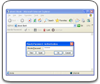
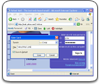
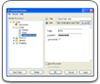
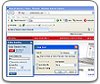
Handy Password will soon be enhanced with a feature that allows automatically saving all pages which are open in Internet Explorer and Mozilla Firefox browsers. When you start a new session in the browser and want to revisit the last visited pages, Handy Password will immediately allow you to do so.
While you are surfing the Web, your web browser may unexpectedly shut down. Thus you will have to search the history journal to revisit the open pages. This is very inconvenient, especially if you were in the middle of something important and didn't have time to save. To get around this problem, we are going to introduce a new feature in Handy Password which allows saving the last visited pages for their quick launch when the browser is opened next time.
Handy Password - your best choice for smart web browsing!
 |  |  |