Handy Password 4.9  |
Handy Password 4.9  |
Fill Forms Automatically with Automatic Form Filler
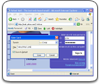
Fill forms automatically is what you can do with Handy Password manager. Program has form filler and allows you to login automatically to forums, web-mail servers, online banking and any other internet accounts.
- You can authorize on a site with just one click.
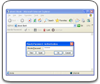
Automatic form filler saves login and password when you enter the site for the first time and then are filled in automatically. For people who have more than one account on the site program gives an ability to choose, which account to enter this time. - Secure data storage.
No one can steal your precious information. All data in the program is encrypted and protected by your master-password. Because password manager fills passwords and logins automatically, you have no need to type passwords manually. Thus, no keylogger will be able to steal your passwords and other valuable information. - Fill forms automatically with your personal information.
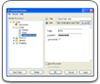
Once you filled registration information in form filler program, just click Fill button and program will fill forms automatically. Then you will only have to fill several missing fields if any.
Additional features
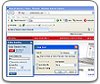
With USB password manager, you will be able to access all your accounts from any computer even without installation of the program. In addition, Handy Password form filler has built-in random password generator, bookmark manager and can work as a panel for Internet Explorer and Mozilla Firefox browsers.
Download Password manager free trial - Automatic Form Filler |  |  |