Login to Web Sites Automatically
Login to your mail service, online banking account, forums, etc. automatically with a Handy Password manager.
Why login to sites automatically?
Logging to sites with a single click is the best way to make your Internet experience a pleasure. To login to a site, you will just need to press a button on the Handy Password toolbar. With our password manager, you will be able to login to any site, requiring a login and a password to enter, in a matter of seconds. This will allow you to visit more sites every day, without typing your logins and passwords endlessly. Moreover, Handy Password can save your site logins and passwords so you don't have to remember them.
How to login to sites automatically?
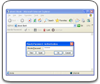
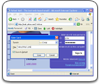
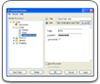
To login to your site automatically, do the following:
Now every time you need to login to your site, just press the "Your site (saved card) title" button on the Handy Password toolbar.
Learn how to: Password Keeper, auto fill forms, Password software.
You can also use random password generator to create strong passwords with a Handy Password manager.
 |  |  |