Handy Password 4.9  |
Handy Password 4.9  |
Password Autofill Software
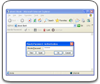
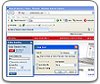
Password autofill feature in Handy Password manager allows you to fill passwords and usernames automatically and to login automatically to websites, email servers, online banking accounts and more.
- Authorization in one click. Password autofill software saves login and password when you use them first time, next time you enter this site utility will fill personal information fields automatically;
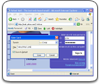
- Automatic form filler. It is necessary to fill information only once, and then when it is time to fill registration form simply click Fill button and form filler will fill form automatically. After that, it will be necessary to fill only several missing fields;
- Reliable information storage. With online form filler your important information could not be stolen. All information is stored in encrypted database protected with the master-password.
Password autofill software with form filler will help you to fill forms and passwords so you don't have to type them at all. Thus, no keylogger will be able to steal your passwords.
Download password manager free trial - software to automatically fill passwords and web forms.
 |  |  |