Password Generator: Generate Strong Passwords
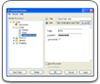
A password generator in Handy Password looks like this:
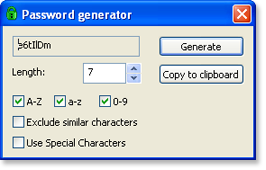
It allows you to generate random passwords that are extremely difficult to crack or guess due to optional combination of lower and upper case letters, numbers and punctuation symbols.
To perform fast coping of the password to a form, you can copy it manually by selecting the symbols and pressing Ctrl+C or Ctrl+Ins. More convenient way is to click the "Copy to clipboard". The text will be copied to the clipboard and can be pasted then to the necessary place.
The password generator can be launched both from the program Main Window and the System tray menus.
 |  |  |