Settings Window
The settings window can be accessed by pressing the "Handy Password" button and selecting "Settings" or from the Control Window by selecting the "Service" top menu and choosing "Settings".

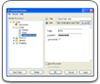
The Handy Password keeper Settings have several sections:
- Security Settings - in this window you can manage security options of Handy Password
- Update Settings - allows you to change your Handy Password update settings
- Autofill Settings - here you can manage settings of autofill and autosave function
- Data storage - allows you to select the location where you can keep your database
To learn how to adjust this settings, follow the corresponding links.
 |  |  |